

ACCOUNT
Profile and verification
Open your account area to check submitted details, phone verification and access status.

888score puts Live Roulette Elite, Crash Countdown Round and badminton markets beside DANA and QRIS wallet status in one home lobby.

Casino rooms appear first, followed by live tables, fishing games and sportsbook markets linked to the same account and wallet.
Pragmatic Play, PG Soft and Habanero sit beside other familiar studios, giving you a visible provider route from the home lobby.
DANA, OVO, GoPay and QRIS appear as named cashier choices rather than a combined wallet label.
The home navigation points you toward areas that remain useful beyond a single session. Account settings, cashier status, game details, support and policy pages each have a clear purpose, reducing the need…


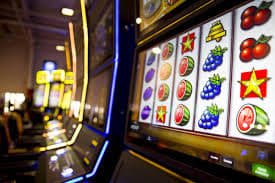
Your first visit begins with an account entry point, phone verification and a direct route into the home lobby.
Enter the requested account details, set your password and submit the form. We then move you to phone verification before account access is opened.
Use the verification step linked to your submitted phone number. This check connects your account activity, cashier records and future access checks to one profile.
Choose casino, slots, live tables or sportsbook from the main navigation. Football, badminton and basketball markets sit apart from dealer tables and slot rooms.
Use a private password, leave the account when sharing a device and check account activity after any access issue. Support can help when verification stalls.
Account and cashier problems need different evidence, so our help area separates the available contact routes. Keep your transaction reference, selected wallet and visible status ready when asking about a receipt. Current service hours are displayed in the help panel rather than assumed from your device time.
Choose live chat when account access, phone verification or wallet status is actively stalled. Share the visible state and transaction reference, but never post your password.
Use email when you need a written record or must explain several steps. Include the account identifier and cashier reference while keeping private credentials out of the message.
Open help from the same phone browser used for the lobby. This makes it easier to report a QRIS screen, category-loading issue or account status without changing devices.
The mobile browser keeps account access, lobby categories, wallet status and support within one navigation path.

Phone verification creates a clear checkpoint before account access, while separate cashier statuses help you recognise unfinished requests.
We place phone confirmation before full account access. If the code or status does not update, use the help route rather than creating another profile.
Choose a password that is not reused elsewhere and keep it away from messages or shared files. Support should never require you to publish it.
Match the amount and selected route before submitting DANA, QRIS or bank activity. Check pending and completed states before starting another cashier request.
Open the provider rules for mechanics and category details. Dealer tables, slots, crash rounds and fishing games use different formats, so one description cannot cover all outcomes.
Scattered posts can leave game names, cashier steps and access conditions disconnected from one another.
Our category tabs lead directly to casino, slots, live tables and sportsbook areas. A copied image elsewhere may not reflect the lobby currently attached to your account.
The cashier names DANA, OVO, GoPay and QRIS separately. This is clearer than relying on an old post that groups every Indonesia wallet under one label.
Account creation and phone verification follow a defined path on our site. External pages cannot confirm whether your submitted profile has passed the required access step.
Pending and completed states belong to your account record. A social message or copied receipt cannot replace the status displayed through the cashier and support path.
Terms and privacy wording remain linked from our navigation. This gives you a direct source for access and account conditions instead of an unattributed summary.
Live chat, email and mobile help connect to our service path. Unrelated messaging accounts should not be treated as a place to send credentials or cashier evidence.
Return-to-player data can vary by title, provider and game configuration, so we do not apply one figure to the whole lobby.
Check the title panel for provider-supplied return details and feature rules.
Read the table rules, wheel format and available stake range before joining.
Check table limits and side-wager terms within the selected dealer room.
Read the round mechanic and exit conditions before committing to a round.
Open the game rules to understand controls, values and session mechanics.
Our home page is configured for Indonesia wallets and English content intended for an Indonesian audience. From Makassar, you can use the same browser route to account access, casino categories, sportsbook markets, cashier status and support. Availability depends on local law, and your location or account eligibility may affect which areas can be opened. Check the applicable terms before creating an account or submitting personal details.
Six visible elements shape the home experience: a shared account, separated lobby categories, local cashier choices, mobile navigation, status checks and direct help.
One profile connects casino and sportsbook activity, reducing repeated account steps. Phone verification remains the checkpoint before full access to the connected areas.
Slots, live casino, table games, fishing and sportsbook appear as distinct destinations. You can move between them without returning to an unrelated search page.
DANA, OVO, GoPay and QRIS are named directly in the cashier. Bank transfer and virtual account provide separate routes when needed.
The phone browser connects account access, lobby search, QRIS and mobile help. No separate application claim is needed to reach these site areas.
Account verification and cashier activity use status steps that you can check. Keep the relevant reference ready if an update appears delayed.
Live chat handles active issues, while email supports cases needing a written record. Current service hours remain posted in the help area.
These answers cover the questions most relevant to the 888score home page: what it contains, how account access starts, which Indonesia cashier routes appear, how mobile use behaves and where you can seek help when a status does not move.
Start at the home navigation and choose the destination that matches your task. Casino and slots lead to game rooms, sportsbook opens football, badminton and basketball markets, cashier shows wallet or bank…
Use casino, slots or live casino when you want game categories. Search is useful for returning to Live Roulette Elite or Crash Countdown Round.
Choose sportsbook for football, badminton and basketball markets. Badminton Indonesia Open Bet provides a clear Indonesia-focused route from the configured sports area.
Select DANA, OVO, GoPay, QRIS, virtual account or bank transfer only after confirming the route and amount. Then monitor the displayed transaction status.
Open live chat for an active stall or email for a detailed record. Keep your account identifier and relevant reference available without sharing your password.